Matts Digital Extranet

Your new Customer Resource Center allows you to easily find information related to your orders, administrative documents, products, and pending deliveries.

Available online, the Matts Digital extranet centralizes the documents you need to manage your business with our teams. You can view your information at any time, download certain documents in PDF format, and easily track items related to your customer account.

Matts Digital Extranet

Centralize your documents in one place

Our extranet was designed to help you save time when tracking your interactions with Matts Digital. It brings together essential information about your account and makes it easy to access the documents you may need on a daily basis.

Purchases

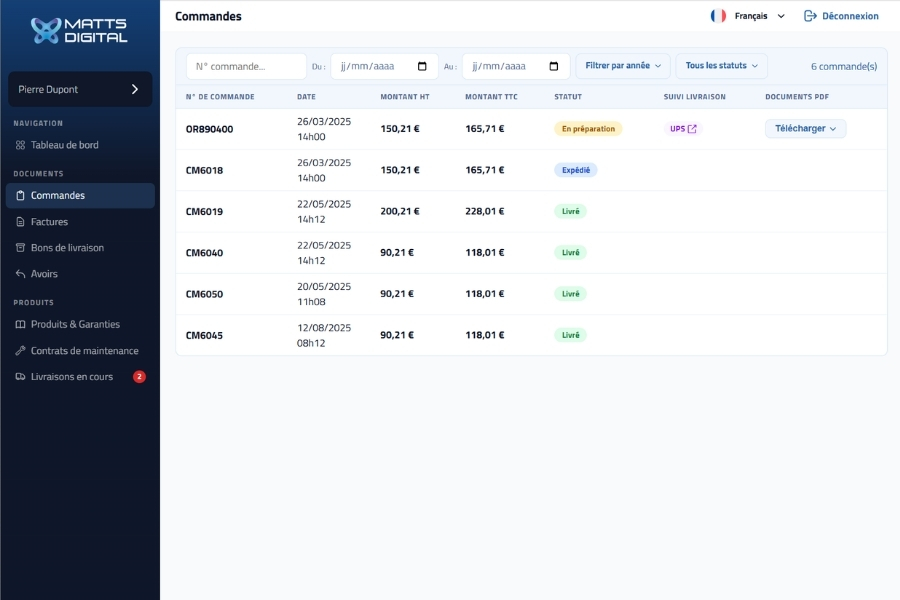
View Your Orders

Access your most recent orders from your customer account and view their status and related documents.

Accounting

View your invoices and credit memos

Your invoices, credit memos, and delivery slips are all grouped together in your document center to make it easier to view them.

Equipment

Track Your Products and Warranties

View the products associated with your account, their serial numbers, and the available warranty information.

Delivery

Check Your Pending Shipments

Track your current shipments using the available statuses, shipping numbers, and carrier tracking links.

Find useful information for your customer follow-up

Through your customer extranet, you have a clearer overview of your account details. The information is updated daily to ensure you have access to the latest data.

The different tabs in your resource center

What you can view:

  • Orders: View your order details and download related documents in PDF format.
  • Invoices: invoice number, date, amount, and PDF download available.
  • Delivery notes: View, link to the carrier's website, and PDF download.
  • Credits notes: View the assets associated with your account.
  • Products and Warranties: product tracking, serial numbers, warranties, and purchase invoices.
  • Maintenance contracts: Viewing contracts, tracking contract dates, and monitoring the relevant products.
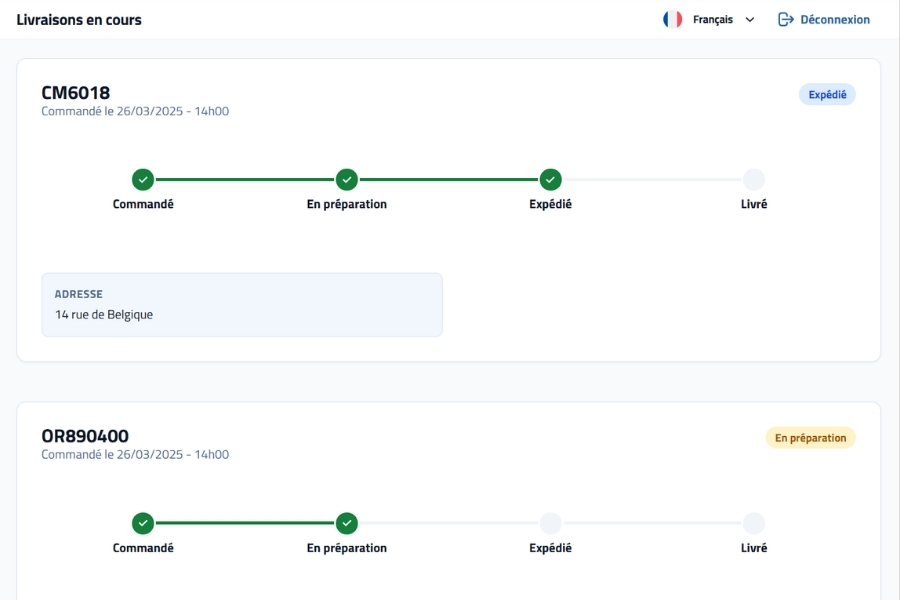
  • Delivery Tracking: status, tracking number, carrier link, and delivery address.
  • Ticketing Service: feature planned for a future update.
Extranet "Orders" tab

Activate your access the first time you log in

Your access to the Matts Digital extranet is linked to the email address provided in your online account. After creating your account on our website, you will automatically receive an email inviting you to set up your password so you can log in to your extranet account.

1

Your Web Account

You can Create your online account here. Your extranet account will be created based on the information you provide on our website. The email address associated with this account will serve as your login ID for the extranet. 

Your email address may already be in our database. In that case, you can go directly to set up your password on the extranet.

2

Extranet Account Activation

About an hour after you create your account, you'll receive an email to set up your password and to activate your extranet account.

3

Set Your Password

Click on the link you received by email, choose a password, and then log in to your extranet customer portal.

You can now access your extranet account, where your documents are updated daily. 

Please note: If you don't receive the activation email, be sure to check your spam folder. If you still can't find the message, please contact Matts Digital so we can verify your access.

View the main sections of the extranet

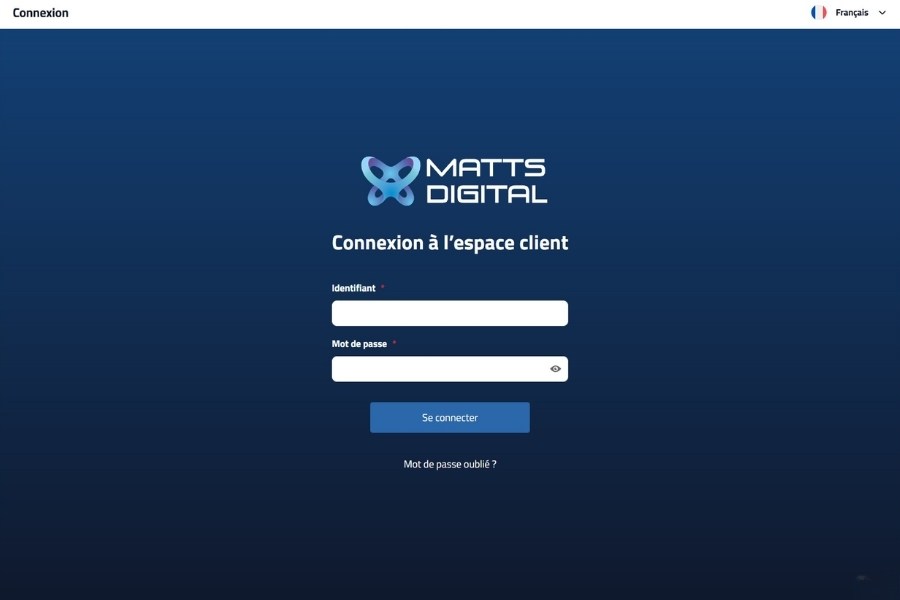
Extranet Login Interface

Login Interface

Log in using the email address associated with your web account and the password you set up when you first logged in. If you have Forgot your password?, you may receive a password reset email.

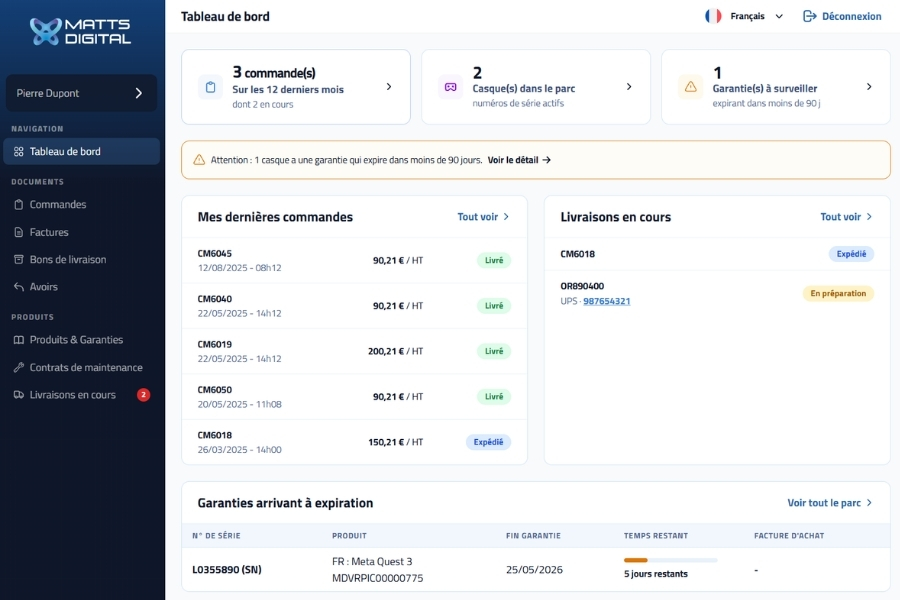
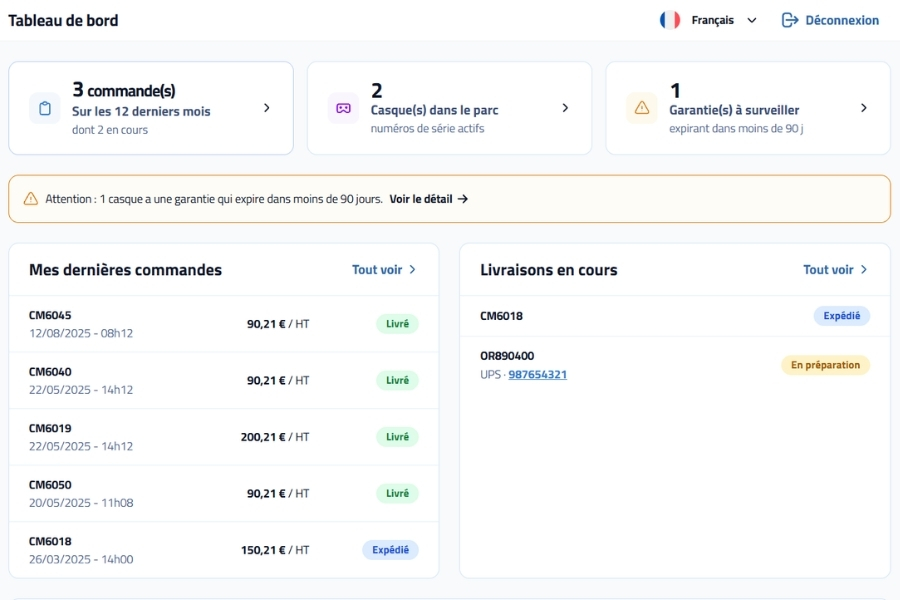
Extranet Dashboard

Dashboard

Get an overview of your customer portal as soon as you log in. The dashboard provides quick access to the various documents and information available.

Extranet: Delivery Tracking Tab

Customer Follow-Up

View important information related to your account: orders, invoices, delivery slips, products, serial numbers, warranties, maintenance contracts, and carrier tracking links.

User Guide

Follow these instructions to quickly access the information you need in your customer portal.

1

Log in to your customer account

Visit the login page on the Matts Digital extranet, then enter the email address associated with your web account and your password.

2

View your documents

From the dedicated tabs, you can view your orders, invoices, delivery slips, and credit memos. Orders, invoices, and delivery slips can be downloaded in PDF format.

3

Track Your Products and Warranties

The "Products and Warranties" tab allows you to view the devices associated with your account, the available serial numbers, and warranty information for those products.

4

Check your pending deliveries

The "Shipping Tracking" tab displays all available information about your current shipments, including their statuses, tracking numbers, your shipping address, and carrier tracking links when available.

5

Stay informed

You will be notified by email as soon as a new document is available on your extranet, so you can view or download it directly from your customer portal.

6

Contact Matts Digital if you need assistance

If you're having trouble logging in or if you'd like to update certain information in your profile, you can Contact Us. Our team will help you resolve the issue.

Find answers to frequently asked questions

These answers will help you understand how the extranet works and resolve the most common issues you may encounter when using it for the first time.

What username should I use to log in?

Your username is the email address associated with your online account. If you wish to change this address at a later time, you will need to contact Matts Digital.

When will I receive my activation email?

The activation email is sent automatically about an hour after you create your account. It allows you to set your password so you can log in for the first time.

What should I do if I don't receive the activation email?

First, check your spam folder. If you still can't find the email, contact Matts Digital so we can verify your access.

What should I do if I've forgotten my password?

Click the "Forgot your password?"  from the login page. You will then receive an email allowing you to set up a new password. Be sure to check your spam folder as well.

Are the documents updated automatically?

Yes, the information available on the extranet is updated automatically every day to ensure you have access to the latest data.

Is there a ticketing service available?

A ticketing service may be integrated into a future update of the Matts Digital extranet. For now, the platform is primarily designed for viewing your documents, products, warranties, contracts, and delivery tracking.

Logo Matts Digital

Matts Digital is available to provide any additional information you may need.